Corripio
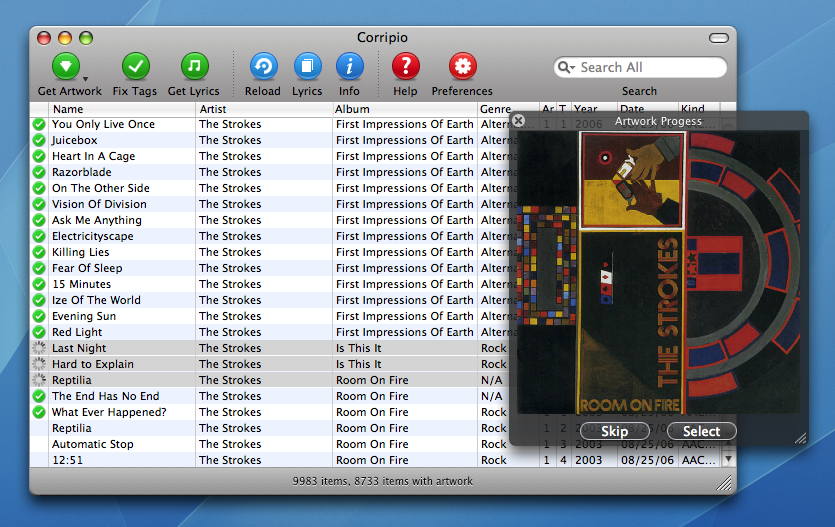
My first Mac app, and the product I built while learning to program. Started in high school, Corripio filled in the missing artwork, song information, and lyrics in an iTunes library.
Learning by making
I began working on Corripio in 2005, while I was still in high school. It was my first Mac app and my first product. I learned to program by building something I wanted to use.
My iTunes library bothered me. A stray space in an artist's name could leave me with two entries for the same person on my iPod. Album covers were missing, and the images I found through other tools were often too small. I wanted the music I had imported from CDs to look as good as the music I bought online.
In November 2005, I was already talking about the idea on Teen Tech Talk, a podcast I was recording with friends at the time. I had scripts for fetching high-resolution artwork from the iTunes Music Store and wanted to turn them into an app that could clean up the library. At the time, I hoped to have it ready before Christmas.
Putting it out there
I released Corripio 0.1 beta on March 16, 2006, at around 4:30 in the morning. A few days later, I was telling the podcast that it had reached roughly 1,200 downloads, with listings on VersionTracker and MacUpdate.
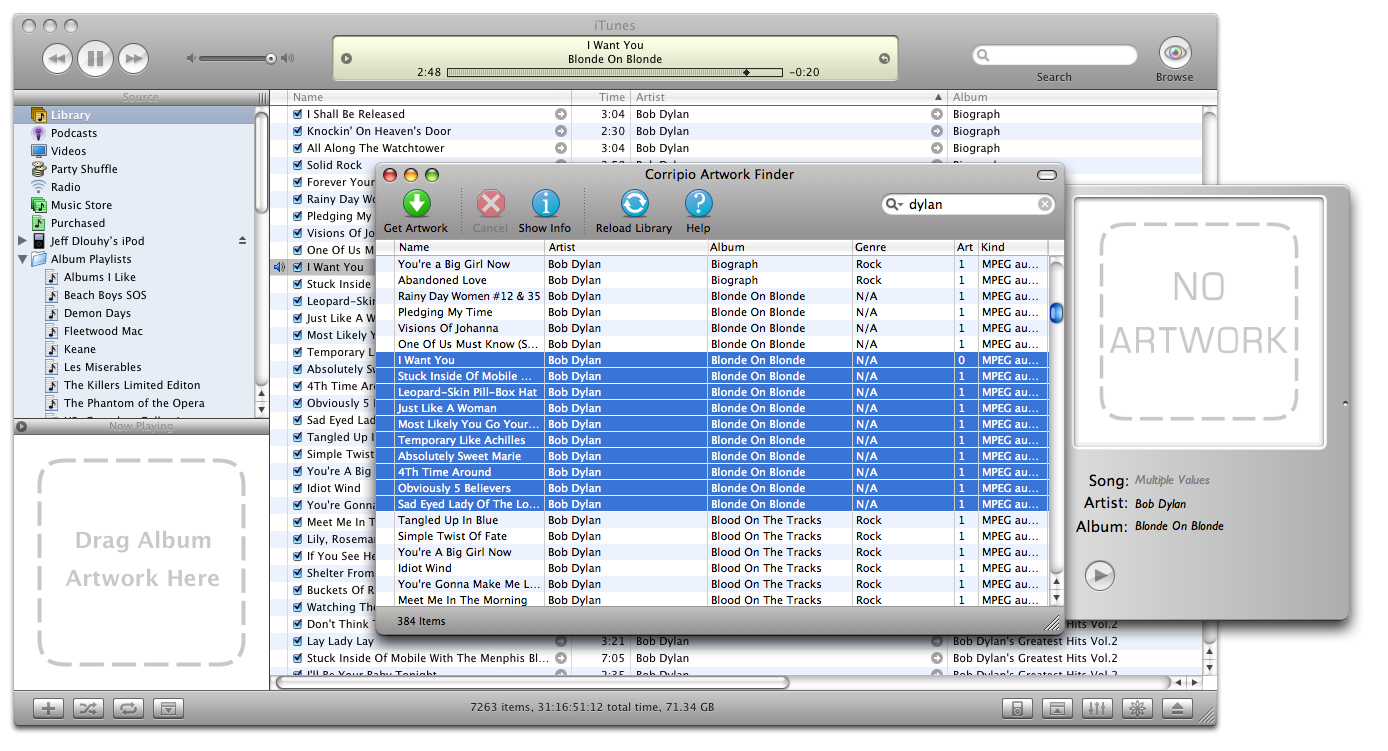
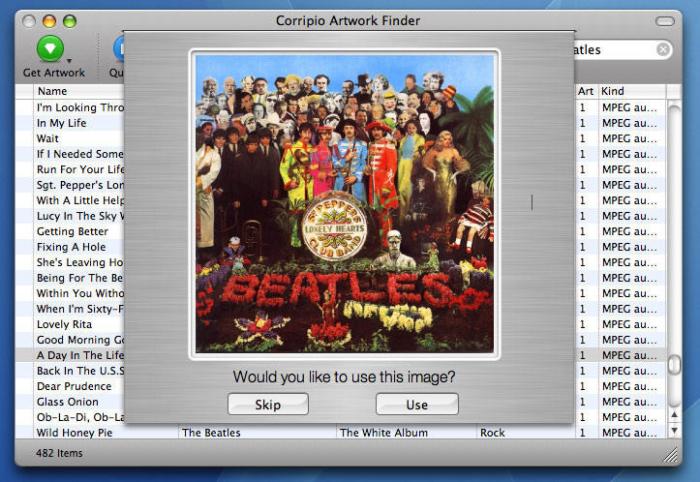
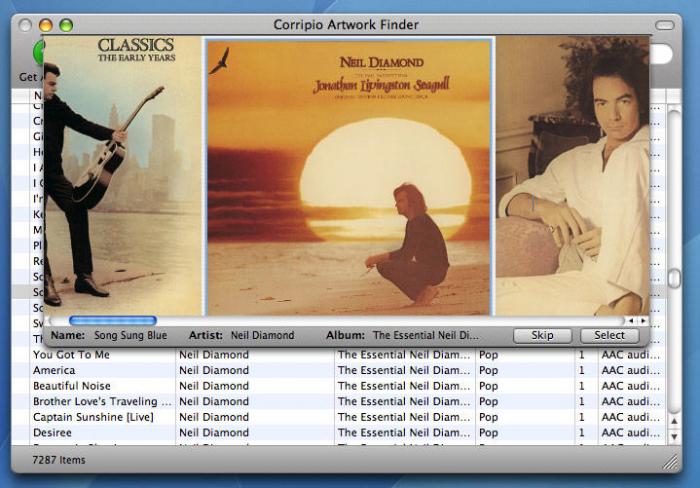
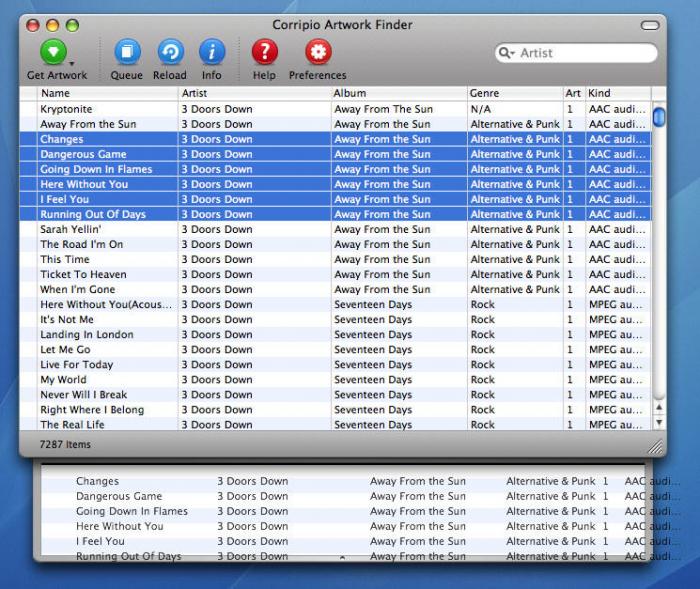
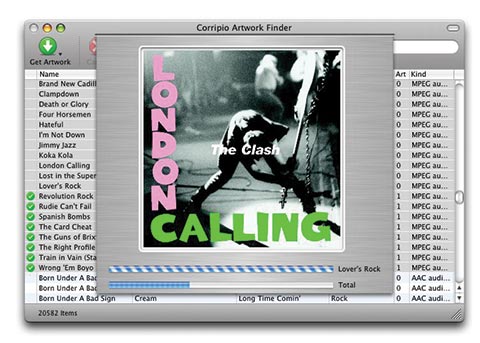
The first release focused on artwork. You selected songs, pressed Get Artwork, and Corripio searched the iTunes Music Store for their album covers. It saved the artwork into the music files and asked you to choose when it found more than one match.
The best results depended on an exact artist and album name. The messy song information that had bothered me in my own library could also stop Corripio from finding the right cover.
By the end of March, I was asking podcast listeners to file bugs and feature requests in Trac, the issue tracker we used, and to help translate the app. I offered to send out the English strings so people could send back translations.
Finding an audience
In April, somebody submitted Corripio to Digg and it reached the front page. I pulled up the statistics during the show and read out 11,308 downloads. Version 0.2 had gone out quickly and had bugs, so I was answering feedback and preparing the 0.2.2 fixes. That month, Wired tried version 0.2.2, describing nClass Software as three high-school students from Annandale, New Jersey.
I was also moving the artwork-search scripts from Jorgen's server into the app. He had hosted them for the early releases. Artwork would still come from online sources, but our server would no longer have to sit in the middle.
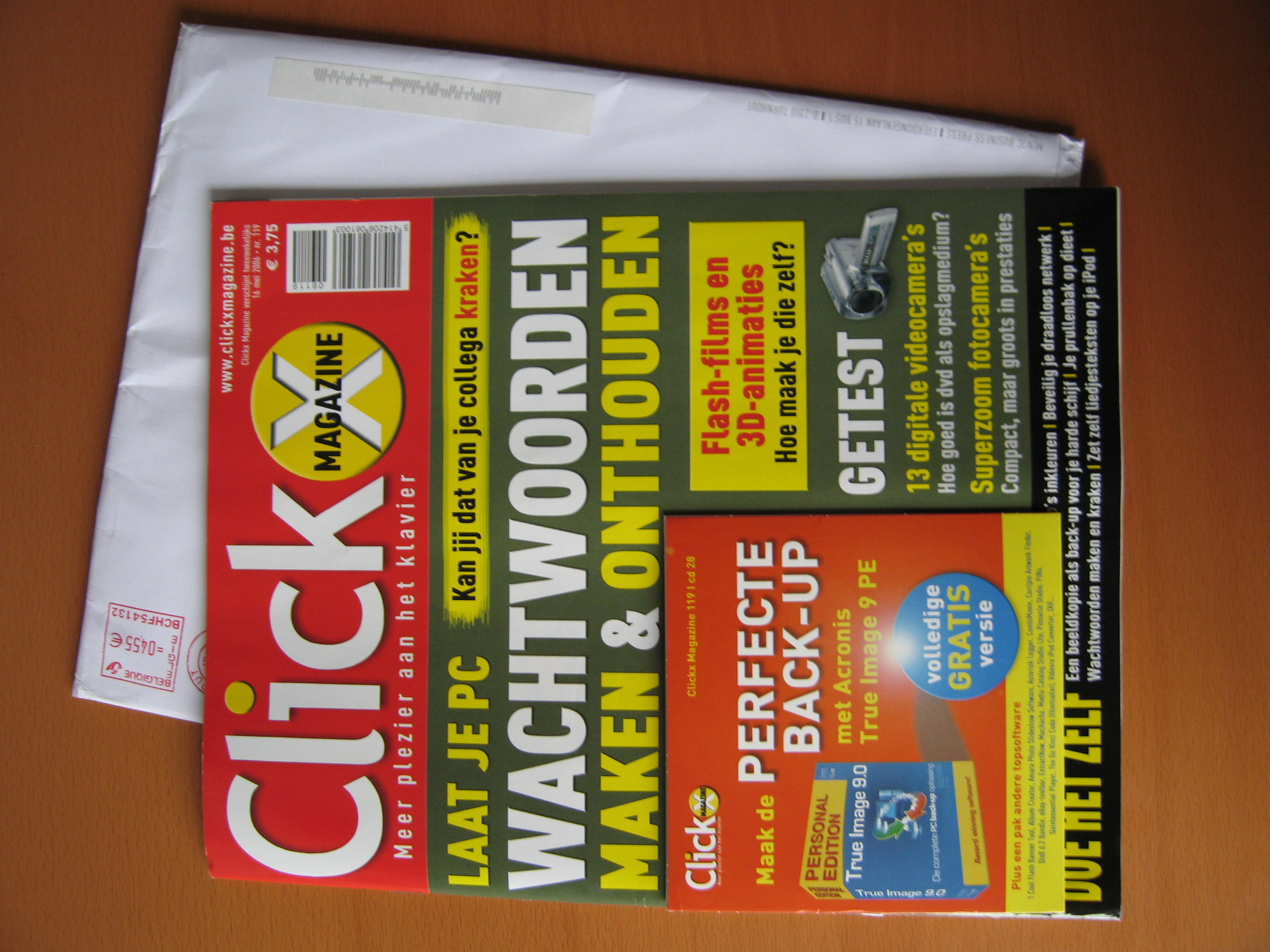
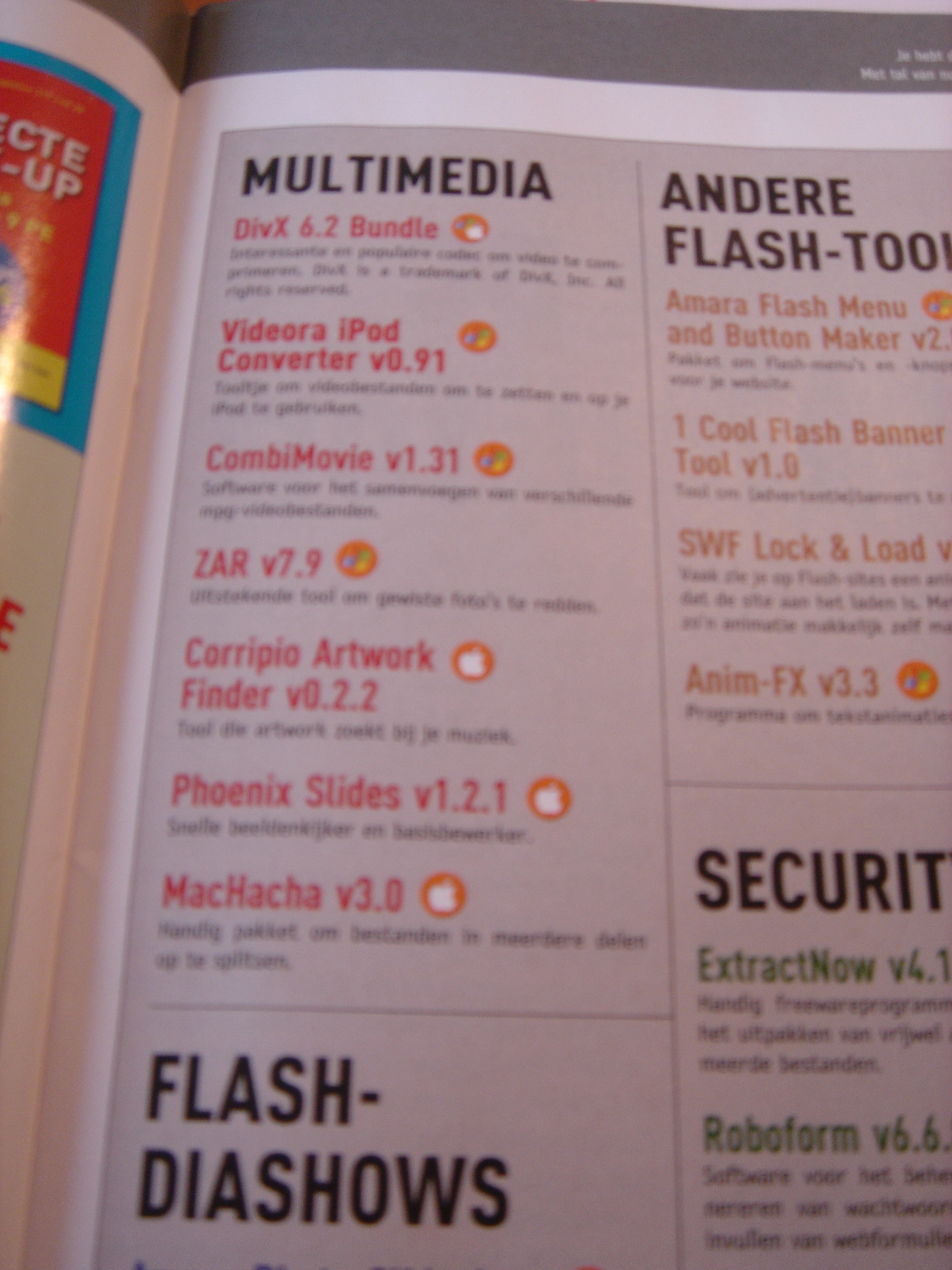
On May 16, Corripio reached readers through a magazine CD. The Belgian magazine Clickx included version 0.2.2 in issue 119, with cover disc 28. Its multimedia listing described the artwork finder, and Corripio's name appeared on the disc sleeve.
By our May 21 podcast, Corripio had been off Jorgen's server for more than a month and had passed 30,000 downloads. Changing the menus also meant asking for translations again. I was learning how much work there was around the code.
Dale Taylor made the application icons. Donations helped me buy the smaller interface icons, including the artwork and preferences buttons, from another teenage designer. In June, I told the podcast they had cost five dollars each.
These are the download totals I reported on Teen Tech Talk during those first few months. They count downloads across releases, rather than distinct people.
- About 1,200A few days after launch
- 11,308After the Digg front page
- Over 30,000Two months after launch
"I really like programming and then giving it out to people. When people are using it, it just makes me happy."
An iTunes companion
By July 2006, I was describing Corripio as an iTunes companion. I wanted one place to finish organizing a music library. There were scripts and widgets for artwork, other tools for lyrics, and separate apps for tags. Bringing those jobs together had been the idea from the beginning.
Corripio could already clean up song information, including capitalization and missing album details. Lyrics were still planned for the next release. On the podcast, I talked about making those separate jobs part of the same interface.
"bring it all together in one slick interface and make it easy for the user to do that stuff."
Your iTunes toolbox
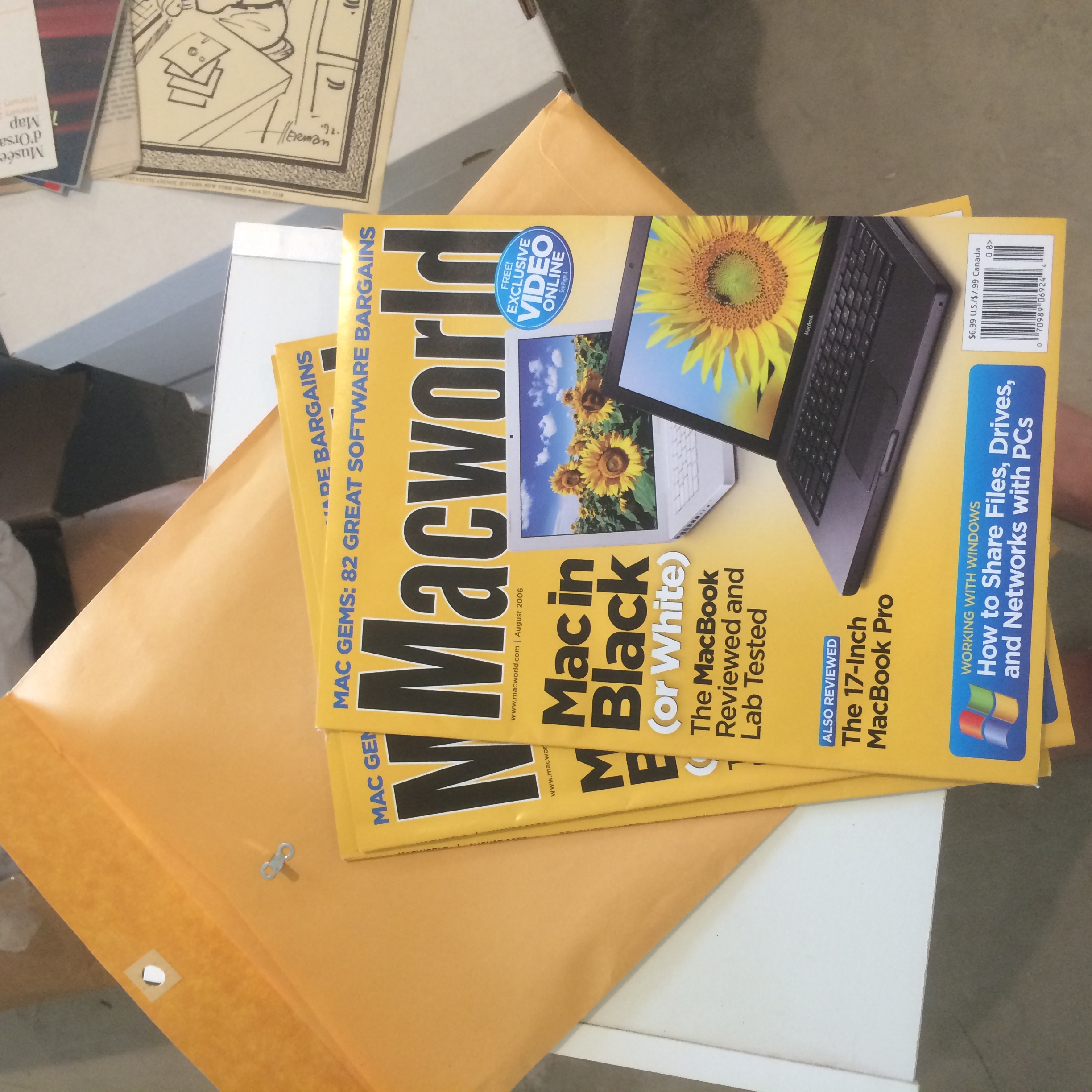
On that July podcast, I was also waiting to see Corripio in Macworld. Getting into the magazine had been one of my goals. Corey told me it had happened, and I went to Borders to look for the issue. It wasn't on the newsstand yet, and my subscription copy hadn't arrived.
Mathew Honan included Corripio 0.3 in the August 2006 U.S. issue. His article, Your iTunes toolbox, covered small applications that added useful features to iTunes. Corripio appeared in the artwork section, with a screenshot showing it finding the cover of The Clash's London Calling.
The article is on pages 64 and 65. Read the original issue as a PDF or the online article, published July 5, 2006.
Corripio in 2007
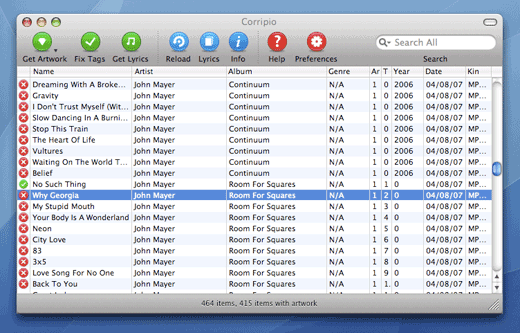
By 2007, Corripio put artwork, tags, lyrics, and song information alongside one another. The product page described it as a free, open-source app.
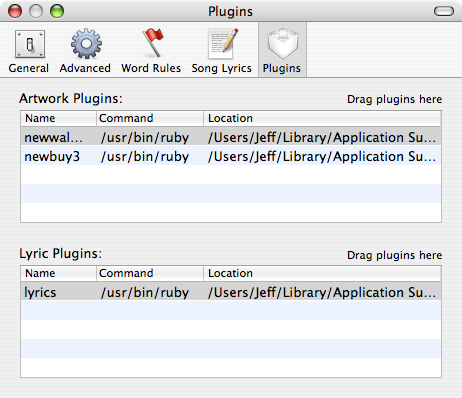
In my May release post, I described version 0.7 as a rewrite of much of the code and another pass at the interface. Its main addition was support for user-written scripts, so people could bring their own sources of artwork and lyrics. The script documentation explained how to add a source and install it by dragging a script into the preferences window.
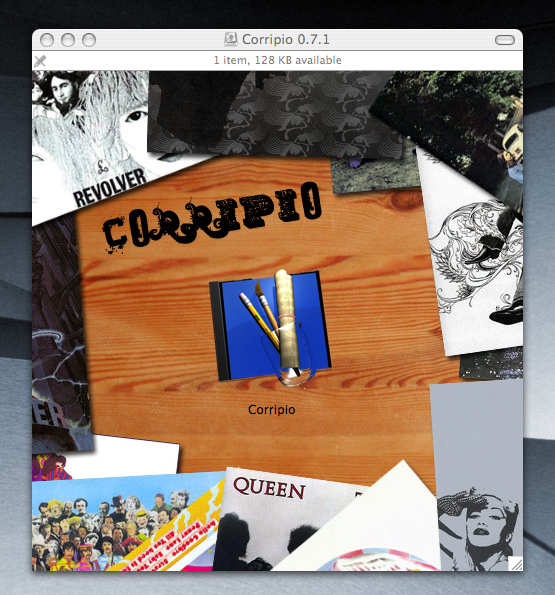
The download carried the album artwork into the Mac's Finder, too. The disk image opened to a wood-grain background surrounded by album covers, with the Corripio icon in the center. Mathieu Tozer posted a screenshot of the 0.7.1 window on June 8, 2007, with the caption "Nice DMG."
Version history
The first artwork finder, searching the iTunes Music Store for missing album covers.
Artwork size and compression, store-country selection, and Dutch, French, and Spanish translations.
More artwork sources, a choice of search order, and approval before saving a cover.
Song-tag cleanup and track numbers recovered from filenames.
Lyrics search, with editing and approval before saving, plus more tag-cleanup controls.
A lyrics window, contextual menus, and fixes for skipping artwork and memory leaks.
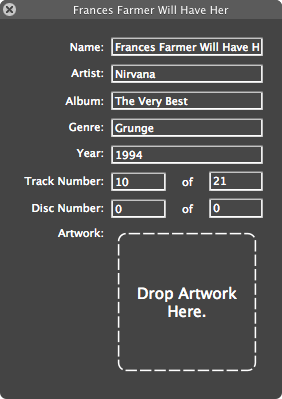
In-app song editing, simultaneous searches, user-written plug-ins, and Growl notifications.
Updated for compatibility with iTunes 7.3.